
The average worker spends roughly 11 hours of their working week trudging through emails.
That’s not just alarming, but also a huge amount of wasted time that could be focused elsewhere.
Email productivity tools help you claw some of that time back. You can find what you’re looking for faster, stay focused on your tasks, and collaborate with others more effectively.
The key is finding the right tool for your needs. That’s exactly what we’re about to do.
Top 7 email productivity tools in 2026
Email productivity tools usually fall into one of two categories:
Those that work in sync with other tools
Those that bill themselves as an ‘all-in-one’ solution
These tools also approach productivity from different angles, so it’s important to understand where you need the most help.
Below, we’ve covered a range of the top email productivity tools — some designed to work as standalone solutions, others that can be paired to help you cover more ground.
ProofHub
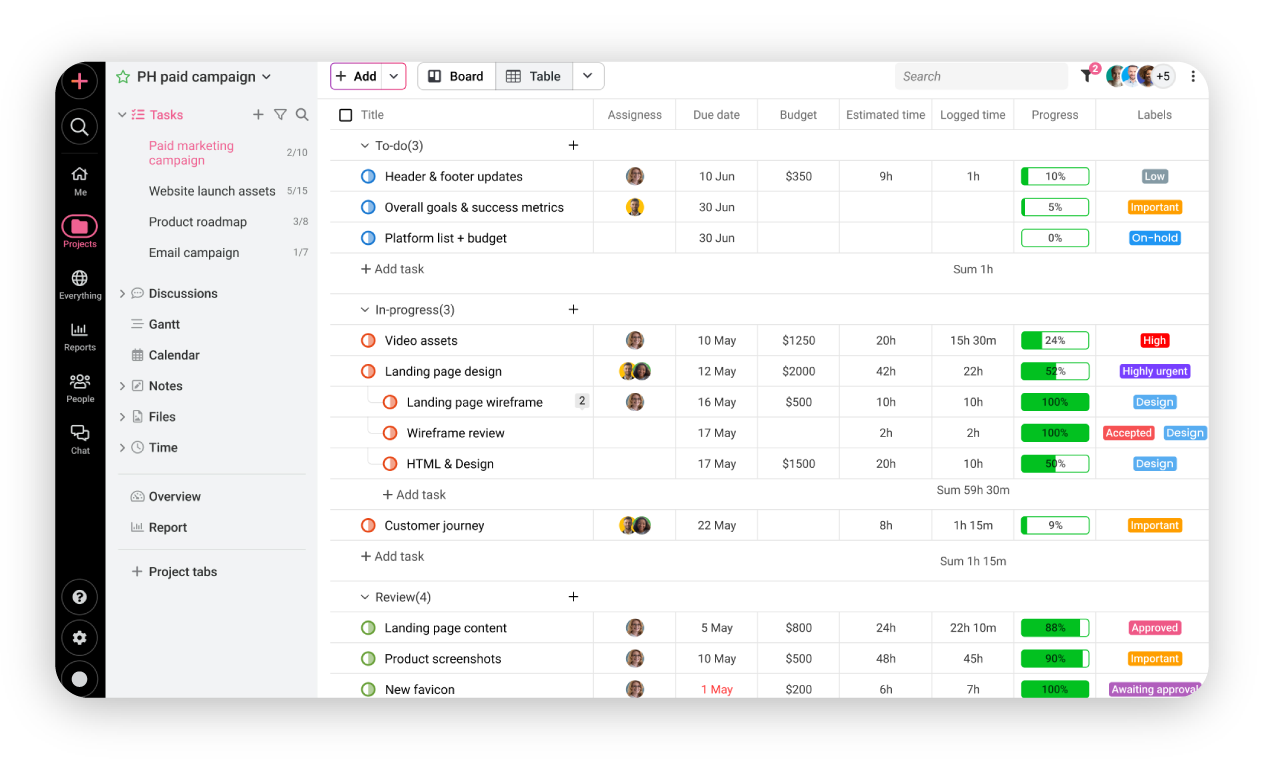
If your idea of email productivity is keeping your inbox for email and moving tasks to a separate workspace, then ProofHub might be what you’re looking for. On the surface, ProofHub works like other project management tools. You can see upcoming tasks in a visual hierarchy, assign projects, update colleagues on progress, and stay in touch via a built-in messenger.
Turn emails into tasks from your inbox
But it’s moving tasks from your inbox into this project management tool where ProofHub excels. ProofHub’s email-in feature assigns a unique email address to every task and project. This can then be used to create tasks, send updates, and make comments from your email. If you suddenly receive an email about a big change to one of your ongoing projects, you can update the task without leaving your inbox.
This also works for creating a new task. By following a few formatting rules, you can add the task name, date, start and end time, and any participants. Plus, any comments that are added to the task you’ve just created will be sent straight to your inbox. This saves you from trawling through your inbox looking for previous updates. You can update the task when it’s on your mind and keep your inbox solely focused on email. Once your schedule is set, you can get a daily email with your schedule for the day, so you don’t miss any tasks.
No AI sorting or shortcuts
Where ProofHub falls short is the lack of AI email sorting. Moving tasks from your inbox to a kanban board in ProofHub goes some way to clearing your mental load, but it doesn’t do much for the mounting pile of spam sitting in your inbox. If you’re someone who’s also looking for a shortcut to what many AI automated email providers are now calling ‘Inbox Zero’, then ProofHub will be found lacking.
Speaking of shortcuts, ProofHub doesn’t have them. Keyboard shortcuts have become all the rage since Gmail decided to automate certain tasks to quick key presses. This can really speed up the process of moving through your inbox, but unfortunately, as ProofHub doesn’t completely integrate with your email, keyboard shortcuts aren’t an option.
Best use case: With all that said, it should be no surprise that ProofHub is ideal for teams handling high email volumes, like marketing agencies or remote teams that need to manage tasks and track projects without constantly jumping between apps.
Pros
Every task gets a unique email address, so you can create or update tasks directly from your inbox.
No need to open the app to make updates, just send an email to the task address.
Visual planning tools like Kanban boards and Gantt charts help organise and prioritise work.
Get a daily email with your schedule to stay on track.
Cons
ProofHub doesn’t automatically filter or organise your emails like some AI inbox tools.
You can’t group emails by priority or time to review later.
You’ll still need another tool or email rules to keep junk out of your inbox.
Lacks keyboard shortcut support for users who want to navigate quickly without a mouse.
What users are saying: G2 rating
Users rated ProofHub 4.5 / 5.
Spark
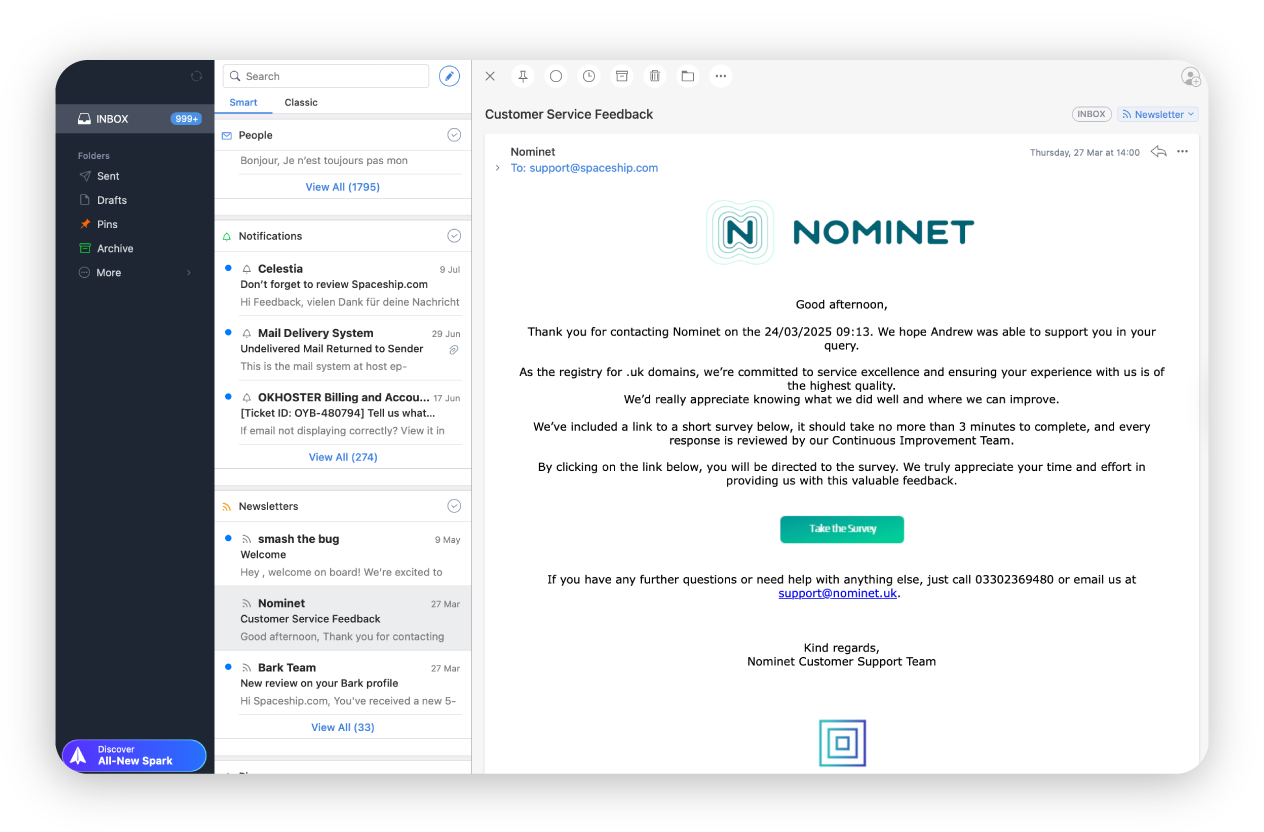
If you’re someone who sits down on a Monday morning and is instantly overwhelmed by the mail in your inbox, then Spark could be what you’re looking for. Unlike ProofHub, Spark doesn’t remove you from your inbox, it speeds up your time within it. Spark helps you sort, write, and manage emails using smart features like AI, email reminders, and team tools.
A faster way to read and write email
One of its key features is the ‘Smart inbox’, which automatically sorts your mail into Personal, Notifications, and Newsletter categories. It’s customisable, allowing you to add or remove filters to tailor it to your specific needs. Plus, the ‘Smart inbox’ learns from your behaviours and gets better at sorting email over time.
Email providers are betting heavily on AI assistants, and some do a great job of helping you conquer the infamous blank page. Take Spark’s email assistant, Spark +AI, as an example. It’s built with the sole intention of helping you get some professional thoughts down on paper in as little time as possible, and it does a pretty good job.
Handy prompts allow you to create an email draft with a single click, plus, as you start typing, the prompts update. This means you can ask the AI for assistance wherever you are in your train of thought. You can also create drafts with the AI to use as stock responses for future replies. Add the fact that the AI can summarise email threads and meetings to give you a quick gist of everything that’s been said, and you’ve got a pretty potent tool sitting in your inbox.
Great for writing fast, not for staying organised
Spark is focused on speeding up the process of reading and writing emails. Where it falls flat is the organisation stage. So if organisation is where you need help, it’s best to see Spark as an addendum to email productivity rather than a standalone product. It helps that Spark is built for collaboration, supporting multiple email providers like Gmail, Outlook, and Spacemail, along with integrations with tools like Todoist, Asana, and Zoom.
Best use case: As speed is the main focus here, Spark is best suited to professionals and teams who manage multiple business email accounts and need to trudge through a busy inbox at 9 am. If you’re looking for handy shortcuts and AI integration, then Spark may be your app.
Pros
Automatically organises your emails into categories like Personal, Notifications, and Newsletters—with the added ability to customise filters to your liking.
Spark’s smart inbox gets better over time by adapting to how you manage email.
Spark +AI helps draft emails quickly with context-aware prompts that update as you type.
Stock responses and smart suggestions help cut down on repetitive typing.
AI can summarise long email chains or meetings into digestible points.
Integrates with Gmail, Outlook, and tools like Todoist, Asana, and Zoom.
Cons
Spark doesn’t help much with task or project organisation compared to dedicated tools like ProofHub or Todoist.
You won’t find Kanban boards, calendars, or Gantt charts built in.
Spark speeds up email handling but works best when paired with a task-focused tool.
What users are saying: G2 rating
Users rated Spark 4.7 / 5.
Todoist
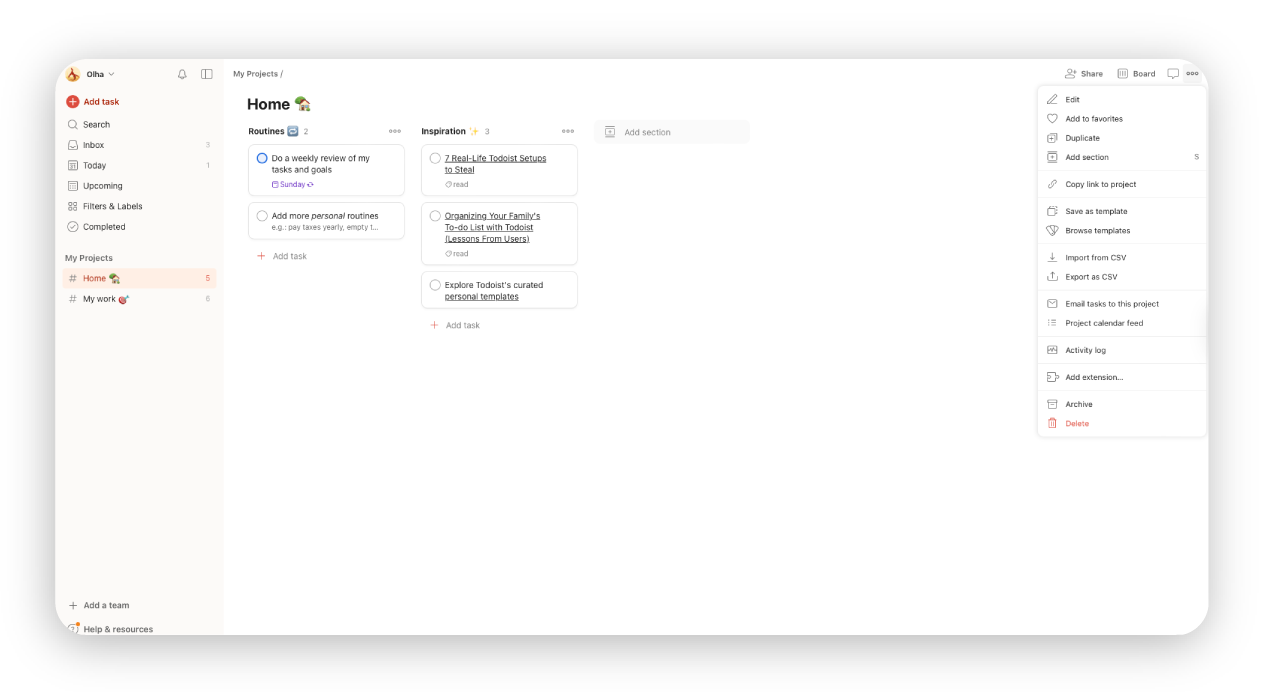
Todoist works much like ProofHub. It does most of the things that ProofHub does, but better. Todoist is a task management app that integrates with major inbox providers like Gmail, Zoho Mail, and Spark. But a major advantage it has is its speed.
Quicker tasks, smarter AI, and shortcut-friendly
We already mentioned ProofHub’s formatting rules for creating tasks without leaving your inbox. Todoist upgrades this process by making it as close to natural language as possible. It feels a lot smarter, faster, and more intuitive. It not only creates the event or task but also uses AI to offer guidance on how to complete it. The AI can break the task into manageable chunks that can be shared with other team members.
When the rest of your team is on board, the Todoist calendar does a great job of keeping everyone on track. Smart filters let you organise tasks by participant, so you can see who’s working on what. The calendar also integrates with your email, automatically adding new events as they come in.
Todoist also does a great job of integrating shortcuts. With a few quick key presses, you’re able to navigate, create, and assign tasks much faster.
Use it to stay organised, not to sort email
But again, if you’re looking for a tool that’s going to help you clean up an overloaded inbox, Todoist doesn’t offer much assistance. It can help you with upcoming projects and tasks, but will work best when paired with a smart email client that offers clever AI features.
Best use case: Todoist is best for individuals and teams looking to organise and manage email-based tasks. If speed and intuitive navigation are what you’re after, Todoist offers a few advantages over other providers.
Pros
Quickly create tasks from your inbox using simple, intuitive phrases.
Helps break tasks into manageable steps and offers suggestions for completing them.
Sort tasks by assignee or project to keep your team aligned and workloads clear.
Automatically adds new events and tasks from your email.
Keyboard shortcuts mean you can navigate, create, and assign tasks without touching the mouse.
Cons
Todoist doesn’t help reduce email clutter or sort your inbox.
It needs to be paired with a smart email client for full productivity coverage.
There’s no AI writing assistant or summarisation tool.
What users are saying: G2 rating
Users rated Todoist4.4 / 5.
Mailtrap
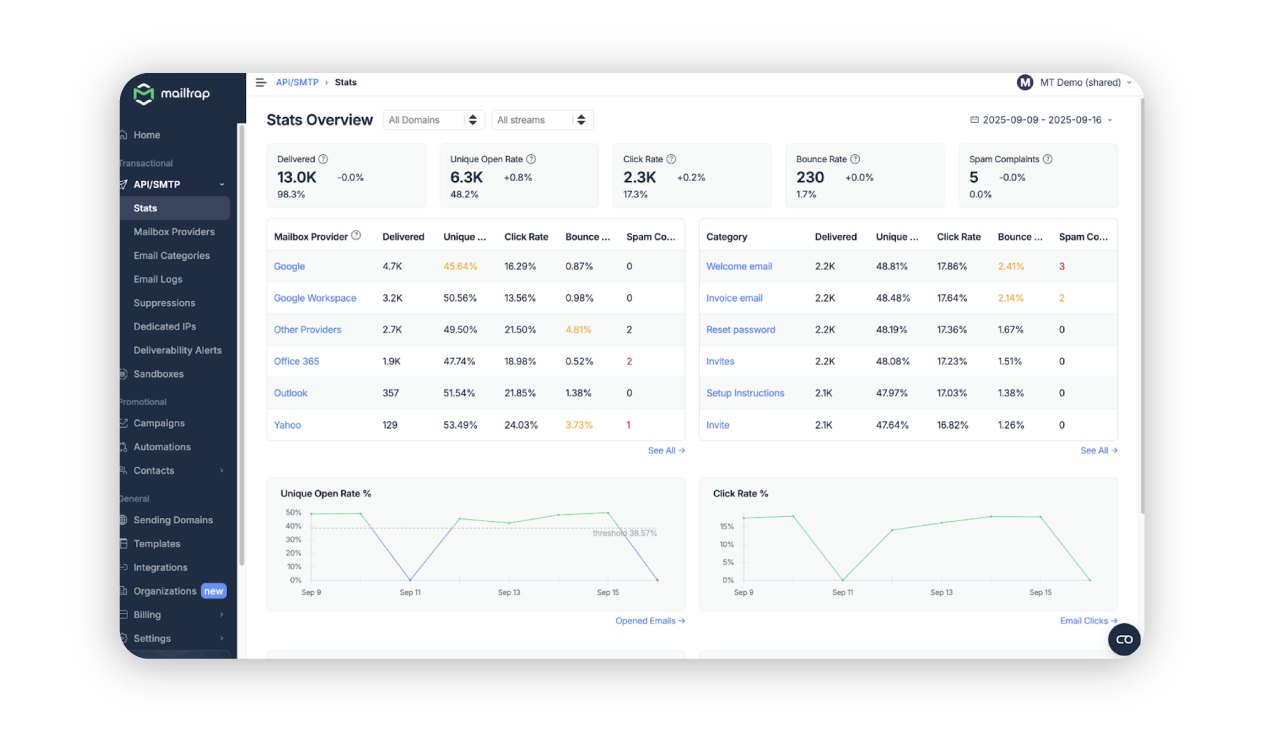
Unlike inbox management tools, Mailtrap solves the backend challenge and delivers your application's emails to your recipients’ main inboxes quickly and reliably.
Send emails that land in primary inboxes
Companies like PayPal, Atlassian, and Adobe trust Mailtrap to handle millions of emails because it offers high inboxing rates and fast delivery.
Mailtrap's infrastructure is optimised for transactional email, with separate sending streams for transactional and bulk emails to protect your sender reputation. You can deliver emails in seconds, not minutes.
Additionally, when and if email delivery issues arise at 2 AM, Mailtrap's support team is available to help troubleshoot and resolve your problems fast.
Features like suppression lists, email templates, and webhooks for real-time event notifications help you maintain clean sending practices and stay on top of delivery status.
A closer look at the performance of your emails
Mailtrap provides dashboards for tracking the performance of your emails from various angles. You can see metrics, such as delivered emails, unique open rate, click rate, bounce rate, and spam complaints. The statistics are also colour-coded and use thresholds based on the platform’s extensive cross-industry research.
Moreover, Mailtrap offers to keep your email logs for up to 30 days, allowing you to see exactly what's happening with every email you send. This way, you can just go to your email history and see whether it landed in the main folder or went to spam.
Best use case: Mailtrap is best for developer and product teams that want to send transactional and bulk emails at scale. If you’re shipping password resets, account notifications, or user onboarding sequences, Mailtrap Email Delivery Platform gives you the infrastructure to ensure those emails actually reach the inbox.
Pros
A variety of features that help you achieve and maintain high deliverability rates.
Helicopter-view dashboards and drill-down reports for tracking email performance.
24/7 expert support from engineers and deliverability experts who work around the clock.
Affordable plans and features for safe and fast scaling without any performance hiccups.
Developer-friendly experience with pre-made code snippets for the platform’s flexible email API and regularly maintained SDKs.
Cons
The free plan is limited to a single user seat and doesn’t provide full access to support.
The automation builder is basic and not geared for advanced email marketing strategies.
What users are saying: G2 rating
Users rated Mailtrap 4.8 / 5.
Missive
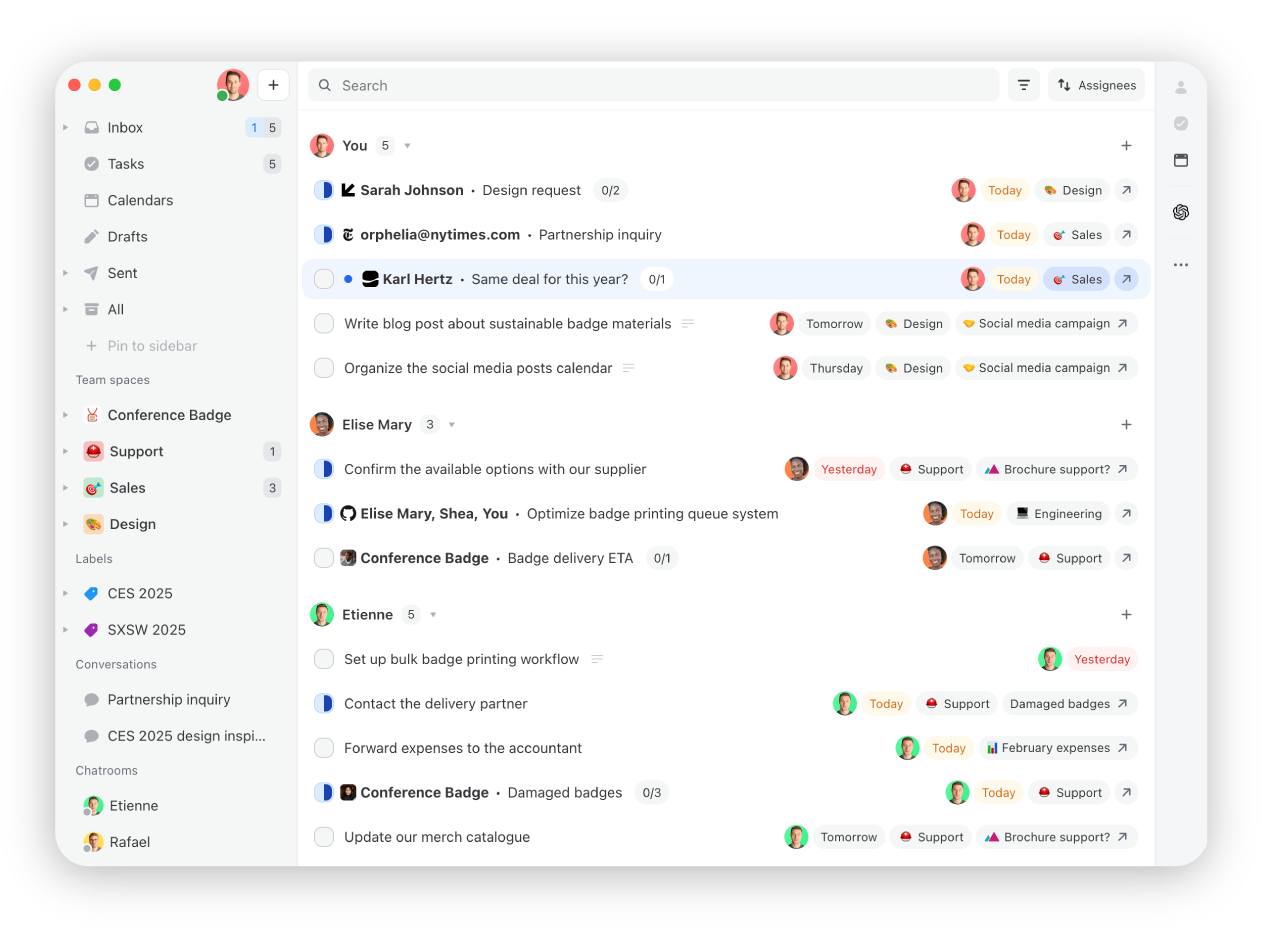
Missive is the best of both worlds between Spark and ProofHub. It allows you to have an inbox-first experience (aka it looks and feels like a regular inbox instead of a task management or helpdesk interface), but it has a lot of functionality beyond your regular email client—internal mentions, assignment, task management and AI-powered automations. It's primarily loved by teams that have a high-touch, high-volume service, think accountancy firms, travel agencies, logistics and transport companies, and more.
Making your inbox a collaborative command centre
Two things that make Missive stand out are its collaborative features and how flexible and customisable it is to each business.
For collaboration, it allows teams to add any type of email account (shared or personal) then share, discuss, and co-draft messages. You can share all messages in an inbox by default (creating a team inbox) or you can share one-off messages from a personal account. No more taking screenshots of messages and pasting them into Slack or forwarding external threads for internal discussion. You can just have the conversation inline, without ever losing context.
For customisation, Missive has a huge set of triggers and actions in its rules workflow, allowing you to create automations that are tailored to your business. Whether it's a service level agreement rule to make sure everyone on your team replies within a certain time period or an auto-assignment rule to route specific clients to certain people. On top of that, Missive has 25+ integrations, including HubSpot and Asana, so you can see your deals and tasks inside your inbox. They also have a custom API for those who are technically inclined and truly want their inbox to have their business context in the same interface.
Flexibility is a double-edged sword
Missive is a very agnostic product, which means it's not specific to any vertical and it doesn't provide many hard prescriptions on how you should set things up. That's great for accommodating dozens of industries, but flexibility can also create unnecessary complexity if you end up creating some convoluted systems. Our recommendation is to look at the guides and talk to their support team, who are very responsive.
Best use case:Missive is the gold standard for collaboration and flexibility, making it a great fit for teams who have a lot of daily external communication—think estate agency, travel, law, logistics, and more. Saving yourself a few extra clicks on every email, when you send hundreds of emails a day, leads to hours back every week.
Pros
Works with any email provider (Gmail, Outlook, IMAP) and on every device.
Designed for high volume—keyboard shortcuts, canned responses, and automations.
Supports shared and personal email accounts.
Familiar inbox interface.
Build your own integration with a custom API.
Integrates with 25+ tools including OpenAI, Asana, HubSpot, Salesforce, and more.
Cons
AI functionality requires you to provide your own key.
Calendar exists but is basic.
No offline mode.
What users are saying: G2 rating
Users rated Missive 4.6 / 5.
Moosend
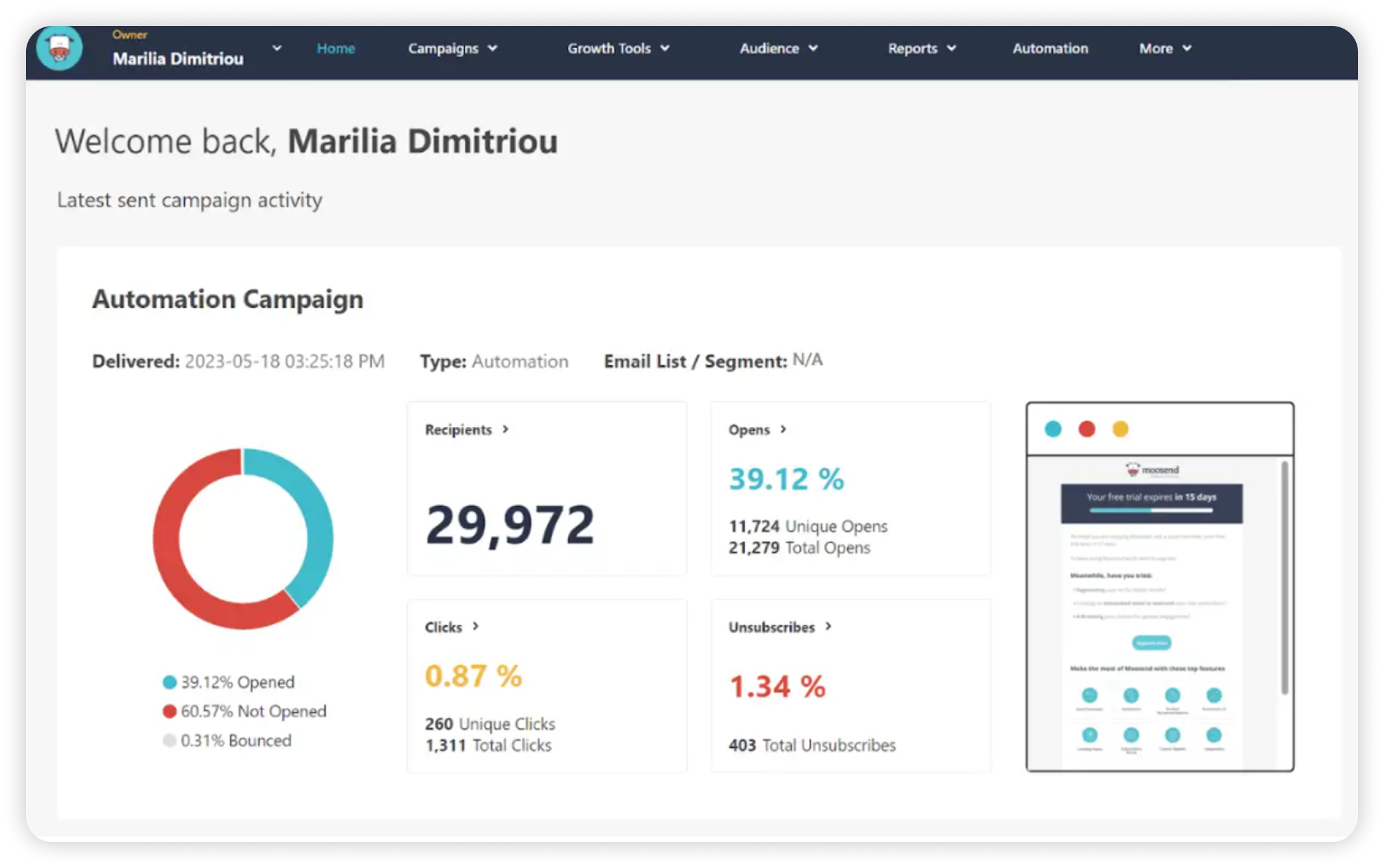
Moosend takes a different approach to “email productivity”. It won't help you reach inbox zero faster in Gmail. Instead, it’s built for teams that spend hours every week sending welcome emails, follow-ups, promos, reminders, re-engagement nudges over and over, and want to automate that work so it stops living in a drafts folder.
Automate repetitive emails
Moosend’s core productivity win is turning repeatable email work into workflows. You can build automations from scratch, or start from pre-built templates (recipes) and adapt them to your own timing and logic. Once live, these workflows run automatically, reducing repetitive email tasks.
The platform also includes a drag-and-drop email editor and a built-in AI Writer to help with subject lines, body copy, and copy checks, which is handy when speed matters more than perfect prose. The same goes for Moosend’s 100+ ready-made, fully responsive email templates. They can be used as-is or customised to your liking.
Moosend also includes landing pages and signup forms, so you can capture leads and send follow-ups without relying on multiple tools. This keeps the process relatively contained within one system.
Better for automation than inbox clean-up
Where Moosend differs from tools like Spark or Missive is that it doesn’t help you manage your personal inbox. It won’t sort emails into smart categories or summarise threads. If your main challenge is triaging incoming mail, you’ll still need a dedicated inbox tool.
The platform is better suited to teams looking to automate email communication rather than manage email clutter.
Best use case:Moosend is best for small teams, eCommerce businesses, and marketers who want to reduce manual email work by automating customer communications, especially when landing pages and lead capture are part of the workflow.
Pros
Advanced automation workflows triggered by user behaviour.
Pre-built automation templates to speed up setup.
Includes landing pages and lead-capture forms.
Detailed reporting to track opens, clicks, and engagement.
Cons
Doesn’t help organise or declutter your inbox.
Doesn’t offer many native integrations.
Not designed as a task or project management system.
What users are saying: G2 rating
Users rated Moosend 4.7/5
EmailAnalytics
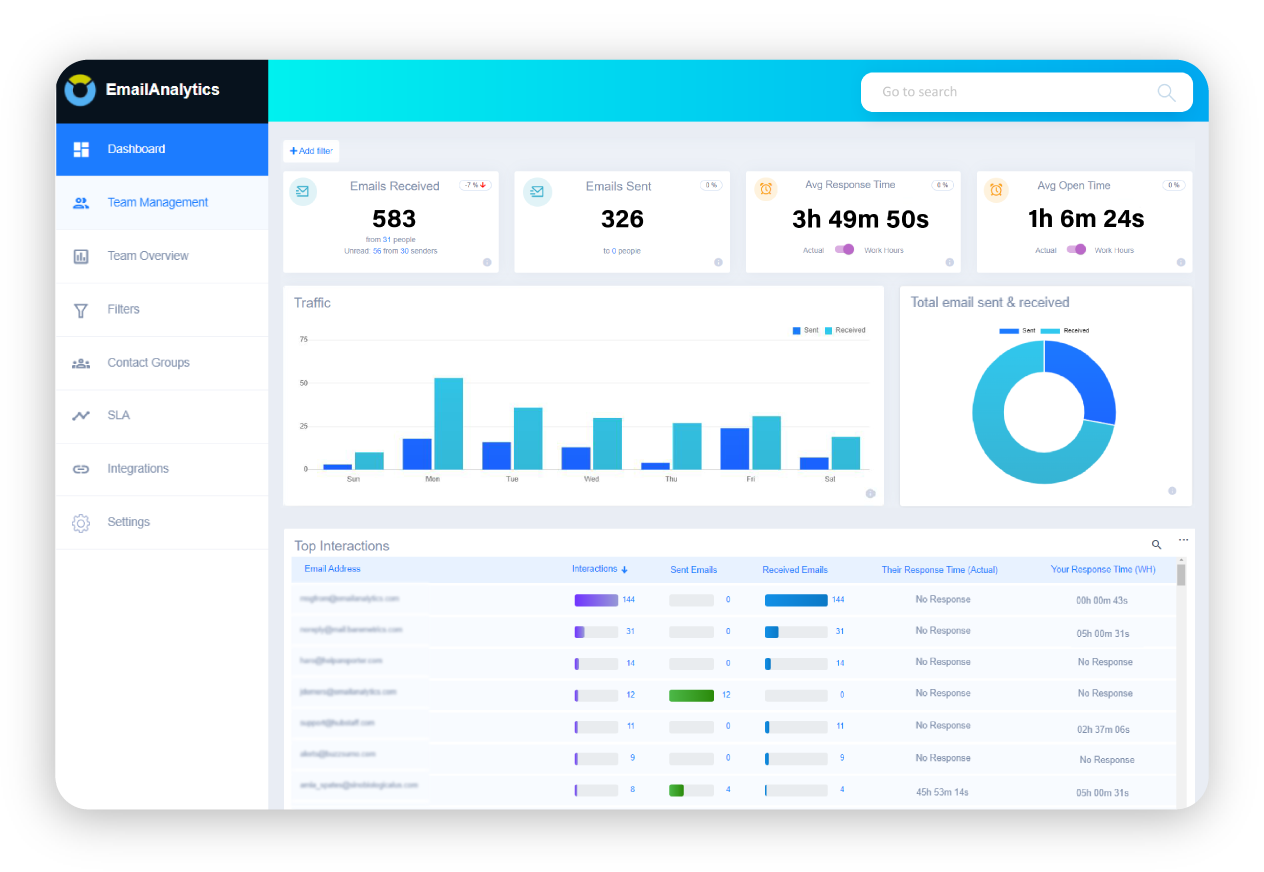
The outlier in our list, offering neither the ability to send and receive emails nor to organise email tasks, is EmailAnalytics.
Track email performance
Where EmailAnalytics shines is the ability to drill down into your team's performance over email. See how many emails your team sends and receives on each day of the week. Are Tuesdays your busiest day? Does your team need more responsibilities on Fridays?
You’re able to track and optimise your email performance, usage patterns, and productivity metrics. EmailAnalytics integrates with your chosen email platform and then starts to collect data on response times, email volume, and interaction trends. You’re then provided with a detailed report on your team's performance as well as actionable recommendations to improve email efficiency.
EmailAnalytics is great for sales and support teams. It shows how quickly team members reply to emails and how often they follow up. This helps you see who’s doing well and who might need support. Key features include tracking how many emails are sent, how fast people respond, how active email conversations are, and how users compare to each other. You can also get daily or weekly summaries sent straight to your inbox.
Reports, not replies
EmailAnalytics is a powerful tool for gaining insight into team performance, but if you’re looking for a way to reply or sort email, you’ll need to pair it with a more hands-on platform.
Best use case:EmailAnalytics focuses more on what your team can do and how they can improve, rather than providing them with the tools to do so. It's best for teams looking to monitor multiple business emails and enhance email productivity, particularly customer support teams, sales departments or managers seeking data-driven insights.
Pros
Tracks email volume, response times, and usage patterns to reveal how your team communicates.
Works with your existing email platform and starts collecting data immediately.
Get detailed summaries and suggestions to improve team email efficiency.
Helps identify top performers, pinpoint bottlenecks, and guide team development.
Choose daily or weekly reports to stay updated without manual checks.
Cons
You can’t send, receive, or manage emails directly through Email Analytics.
Focuses on monitoring and analysis, so it needs to be paired with other tools to act on insights.
What users are saying: G2 rating
Users rated EmailAnalytics 4.5 / 5.
Benefits of using email productivity tools
Most of us spend more time in our inbox than we’d like to admit. Email productivity tools won’t fix everything, but they can make daily tasks quicker, tidier, and a little less frustrating.
Speed and efficiency
The most obvious benefit of email productivity tools is speed. If you’ve ever spent hours searching through an email feed trying to find a single message or an attachment, then you’ll know how time-consuming it can be.
The right email tool can speed this up, whether it’s through custom chat-based interfaces like Spike or AI tools that help you search for specific files and provide conversation summaries. Add to this the ability to create email and manage your inbox in seconds, and you’re starting to claw back those 11 hours we mentioned earlier.
Improved organisation with virtual calendars
If you need to visualise upcoming tasks in a virtual calendar, productivity tools can provide a major uptick in your organisational skills. Being able to pull tasks and events directly from your email and ping them over to a virtual workstation in seconds means you can get to work faster. You’ll also have the ability to bring in specific team members to make sure everyone’s organised and on the same page.
Focus on the emails that matter with AI filtering
One of the biggest obstacles to email productivity is the sheer amount of noise that an inbox can generate. Email productivity tools can help silence the noise with smart AI filtering so you can focus on the emails that need your attention, plus, smart reminders tell you when and where to focus your attention.
Integration and collaboration
There’s also the ‘mix and match’ factor when it comes to email productivity tools. We constantly hear about ‘productivity stacks’ in reference to AI tools. Well, email tools are built for integration and collaboration too. If a certain tool is helping you out with one aspect of your productivity but is completely useless on another, then you always have the option to stack tools to help you out.
Tips for maximising email productivity

Once you’ve got your tools installed, there are a few tips that can help to maximise the value you’re getting when it comes to productivity.
Set dedicated times to check email
Start by scheduling specific times to check your email during the day, rather than constantly reacting to new messages as they come in. Productivity tools can help with ‘reply later’ features that can schedule emails for certain times of the day. Pair this with an AI email draft, and you’re really working on autopilot.
Use filters and unsubscribe from clutter
Setting up rules and filters can also make a big difference. It’s also worth taking a few minutes to unsubscribe from newsletters or promotions that no longer add value. By sorting incoming emails into folders or flagging the important ones, you reduce clutter and see what matters most. The right email productivity tool can do this automatically for you, and will get smarter the more input you provide, so it's worth shopping around for a tool that has what you need.
Learn keyboard shortcuts
Finally, a few basic keyboard shortcuts in your email client can save a surprising amount of time, letting you quickly archive, reply to, or search for emails without clicking through menus. If you’ve signed up to a tool like Spark that provides tons of pre-stocked keyboard shortcuts, then it can make the whole process a lot smoother.
Bottom line
Ultimately, choosing the best email productivity apps comes down to your goals. It’s essential first to understand your specific needs. Then you’ll be in a better position to move forward and choose the best tool for you.
It’s also important to remember that email productivity tools often come in pairs. So shop around, and test the right ‘stack’ for your inbox.
Frequently asked questions
Email productivity tools are apps or platforms designed to help you manage your inbox more efficiently. They can help with sorting messages, automating tasks, reducing distractions, and streamlining communication, saving you time and improving your workflow.
What can be considered the best email management apps depends on your specific needs. Some focus on sorting and filtering messages, while others offer AI-powered drafting, task management, or integrations with calendars and team tools. The best email organisers will match your workflow, whether that’s speed, structure, or collaboration.
Yes, several free email organiser tools are available that offer strong basic features like inbox filtering, task creation, or scheduling. While premium versions may unlock advanced options, many email productivity apps provide enough value in their free tiers to boost your workflow without cost.
Scheduling tools are a key part of the best email productivity apps. They let you time your messages for when they’ll have the most impact, avoid after-hours sending, and help you manage follow-ups automatically. These tools can play a big role in your overall email productivity by keeping your inbox under control and your communications more intentional.

Suggested articles




Comments (2)
M.Als
20 Jan 2026
Galina Muzyka. Product Operations Specialist
20 Jan 2026