
Send a strong impression
Create email addresses that match your domain name, so everything you send looks pro.
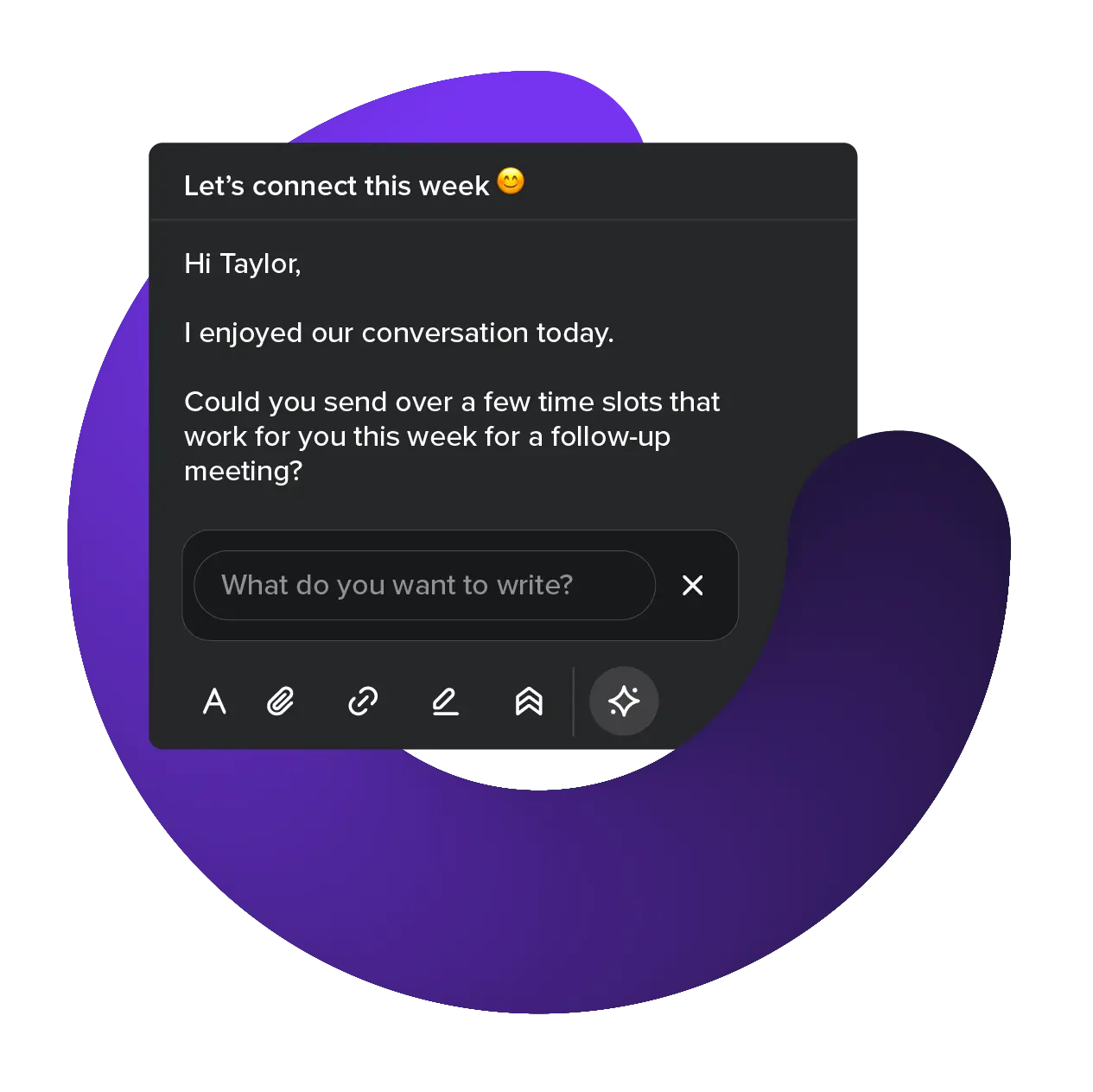
Peak performance
Get more done with integrated calendar, fast AI drafts, and seamless setup.

Get security that evolves
Be confident your data is secured by the latest email security standards.
Choose your business email plan
Benefit from our high-quality, budget-friendly email service
Advanced
Perfect for businesses
- 5 mailboxes
- 15 GB per mailbox. Expand anytime
- Unlimited aliases per mailbox
- Email & Calendar for your domain
- 2FA protection
- AI email assistant
Business
Growing projects
- 3 mailboxes
- 10 GB per mailbox. Expand anytime
- 50 aliases per mailbox
- Email & Calendar for your domain
- 2FA protection
- AI email assistant
Pro
Ideal for solopreneurs
- 1 mailbox
- 5 GB per mailbox. Expand anytime
- 10 aliases per mailbox
- Email & Calendar for your domain
- 2FA protection
- AI email assistant
Design you’ll love
Spacemail’s clean-and-clear interface makes email management a breeze.

How to set up business email
Professional email, simplified

Start free
Pick the plan that fits you, switch anytime, and enjoy 30 days of full access, risk-free.
Tap to connect
Let Unbox™ quickly connect your domain and email in one tap, zero experience needed.
Grow as needed
Begin with @mybusiness.com, then add aliases and catch-alls to stay flexible as you grow.
Compare plans in detail
Select the business email account that suits you best
Spacemail
For your custom domain
Mailboxes included
Price for an additional mailbox
Storage per mailbox
Additional mailbox storage
Aliases
Catch-all
Built-in Calendar
Mobile app
IMAP/SMTP/POP3
AI email assistant
Jellyfish Anti-Spam Protection
2FA protection
Password-protected emails
Storage encryption

Bring your emails with you
Migrating your emails into Spacemail is quick, easy, and free. Use our built-in migration tool to transfer your emails in just a few steps.
Ready to deliver
The essentials of service excellence

The essentials of service excellence
Anytime support
Get any support you need with a team ready 24/7.
Guaranteed uptime
99.9% uptime guaranteed, with zero data loss.
Value beyond price

Value beyond price
Plans you can’t outgrow
Add more email addresses and storage to every plan, easily.
Low price promise
Get a service you can rely on, without counting the cost.
Chosen by businesses, valued by us
Trusted by teams and individuals around the world who rely on Spacemail for secure and professional email
Available on


Encrypted email is the best way to keep your data out of the hands of anyone who isn’t authorised to see it. Spacemail uses the latest email security standards to keep your message private until it reaches the right person.
As part of Spacemail’s security by default, you can add a password to lock any message until the recipient unlocks it. When you send a password-protected email, the recipient must enter the password to read it. The message itself isn’t sent directly but remains in our encrypted storage until the password is entered. This means your sensitive material never leaves our secure infrastructure and cannot be intercepted.
- U2F (Universal 2nd Factor): Uses a small physical security key that you plug into your computer or tap on your phone.
- TOTP (Time-Based One-Time Password): Creates a temporary code on your phone that you enter at login.
- Enable Two-Factor Authentication (2FA): Add an extra layer of security to your account by setting up 2FA.
- Track signed-in devices: View all devices currently logged into your Spacemail account. You can also sign out of all devices with a single click.
- Review your Activity Log: Monitor your account’s activity to detect any suspicious behavior.
- Change your password: Easily update your account password to keep your account secure.
Yes, you can use Spacemail with other email clients. Once added, your messages stay synced automatically.
IMAP/SMTP/POP3 access is enabled by default, no setup needed. You may just need to check your configuration details when connecting a new client. There are two ways to do this:
- Simply log in to webmail and head over to settings to find the details.
- Head to Spacemail Manager, click on your mailbox and select “IMAP/SMTP/POP3” in the mailbox side panel to view settings.
Starting Feb 19, 2025, all new Spacemail accounts have auto-discovery for Outlook and Thunderbird. Just enter your email address and password, and you’re good to go.
Spacemail does not impose limits on incoming emails. You can receive an unlimited number of messages to your email account without any restrictions.
Current limits for outgoing emails are the following:
- Trial plans - 20 emails/hour per mailbox;
- Paid plans - 500 emails/hour per mailbox
Yes, you can conveniently create virtual email addresses to safeguard your primary email address and enhance professional communication management. You have the option to create up to 10 aliases per mailbox with our Pro plan, 50 aliases per mailbox with our Business plan, and an unlimited number of aliases per mailbox with our Advanced plan.
To set up an alias, access your Spaceship account and navigate to Spacemail Manager. Select the mailbox where you want to establish an alias (or multiple aliases) and click on "Set aliases".
You can opt for a free Spacemail account with every domain you connect to Spaceship Web Hosting. It's completely free for your first year, so you've got plenty of time to test it out.
With Spaceship Web Hosting we provide our Special Spacemail plan that includes 5 free mailboxes for every domain you use. For example, if you connect 3 domains, you'll have 5 mailboxes by default with each of these domains.
This plan renews at $5.88/year. You can also add more mailboxes at just $1.88/year each, if required. Since the product is built in-house, we can guarantee that the prices will consistently remain competitive and affordable.
Usually, all fees for Spacemail and related service(s) are non-refundable. However, Spaceship may grant refunds for email hosting, at its discretion, in two instances:
- For Pro, Business, and Advanced package fees if you, the account holder, are a first-time purchaser and cancel within 30 days of purchase.
- Renewals of Spacemail may be refundable if you, the account holder, cancel within 5 days of renewal.
You are welcome to check our refund policy for further information.
It is possible to log in directly from the login page. Alternatively, you can log in through the Spacemail Manager > Choose the email account you need and click Login.
Once at a login screen, simply enter your domain email address connected to Spacemail and password, which you would have get during the setup process.
Yes, it’s easy to import your emails in a few simple steps using our Migration tool. Our email migration tool allows you to import emails using the IMAP protocol. No backups are needed — simply fill in the login details of your source mailbox, enable IMAP on the source mailbox's side, and click Migrate. We’ll import emails over for you.
If you already have a Spacemail mailbox, the migration tool can be found in your webmail. Go to settings > Email migration.
Yes. Spacemail comes with a built-in calendar so you can manage your schedule directly from your inbox. You can add, edit, or delete events, respond to invites, and switch between daily, weekly, or monthly views.
Yes, Spacemail includes Jellyfish, an intelligent anti-spam system that adapts to your preferences. It protects your inbox from spam, phishing, viruses, malware, spoofing, and threats hidden in attachments and images.
Jellyfish is included with every secure business email plan and is enabled by default for maximum security.
Spacemail AI assistant is a helpful tool built right into your mailbox that can create professional, confident email based on a few short words. Quickly describe your email, and Spacemail AI will create a full draft in seconds. You can then edit for length, add any personal touches, and send it directly.
Disclaimers
Spacemail subscription can only be used with one domain.
Spacemail cannot be used with subdomains.
All Spacemail plans have a 30-day free trial period. Pro plan free trials are limited to 5 per Spaceship account. Business and Advanced plan free trials are limited to 1 per account.
All plans are subject to maximum send limits per hour. Learn more about Spacemail Terms of Service